We are starting a closed beta of GPSPATRON Connect with GP-Cloud integration. In this version of the GPS jammer detector app, an interference event detected by GP-Probe Nano L1 is saved on the phone, synchronized to GP-Cloud and shown on a map. GP-Cloud then sends an alert to the other users of your organization in the GPSPATRON Connect app.
The number of participants is limited. To apply, fill in the application form.
Below we describe how Nano works without the cloud, how events reach GP-Cloud, how alerts work, and how to apply.
How does GP-Probe Nano work today?
GP-Probe Nano L1 can work on its own or together with a smartphone. On its own, it is a standalone detector: it warns about interference with sound, vibration and an LED scale. With a smartphone, Nano connects to the phone’s USB-C port in one of two ways: plugged in directly, or through a long USB extension cable. The cable lets you mount the detector outside, for example on the roof of a car, while the phone stays inside the cabin. Cloud integration builds on the smartphone mode.
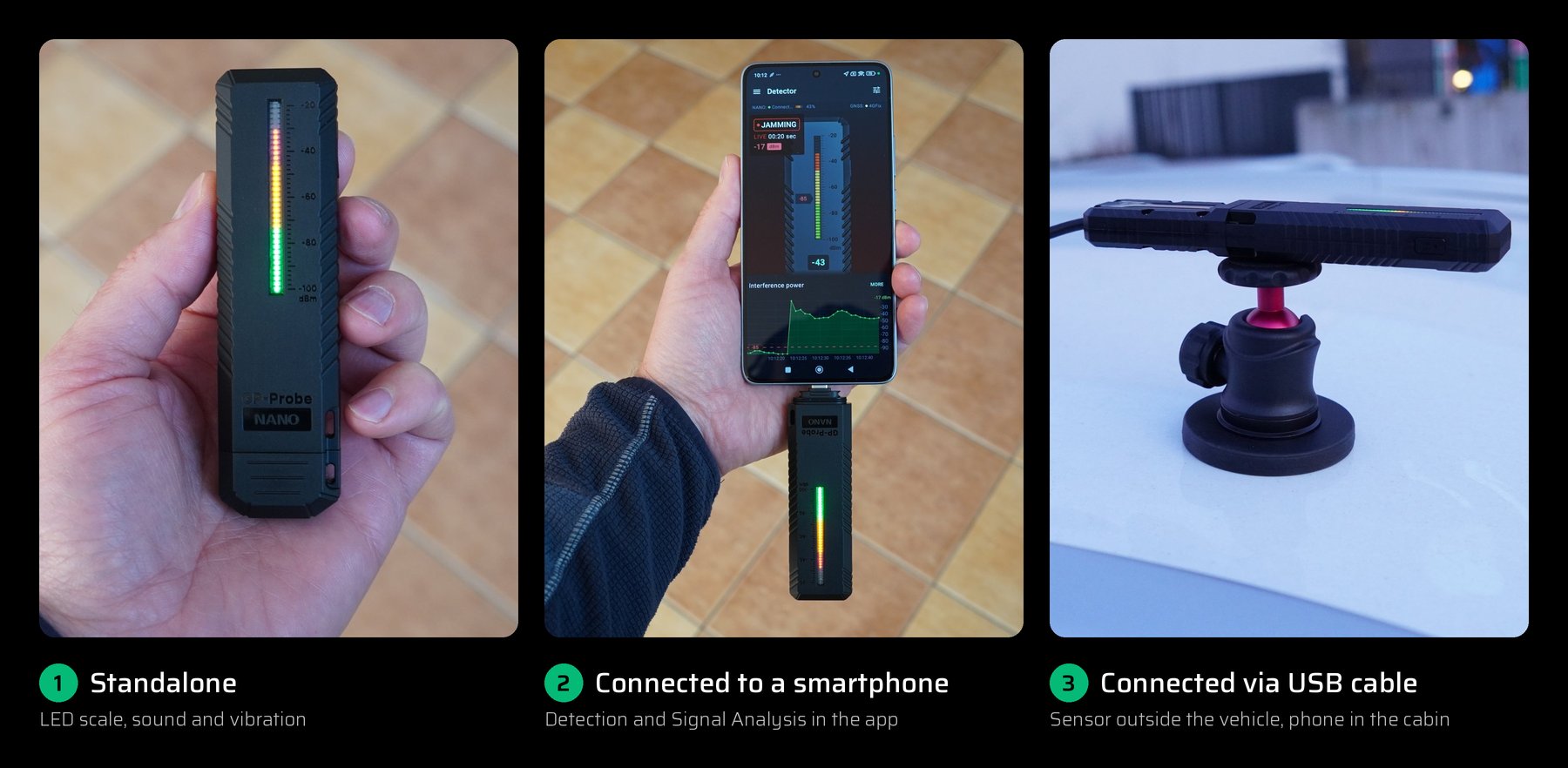
Standalone mode
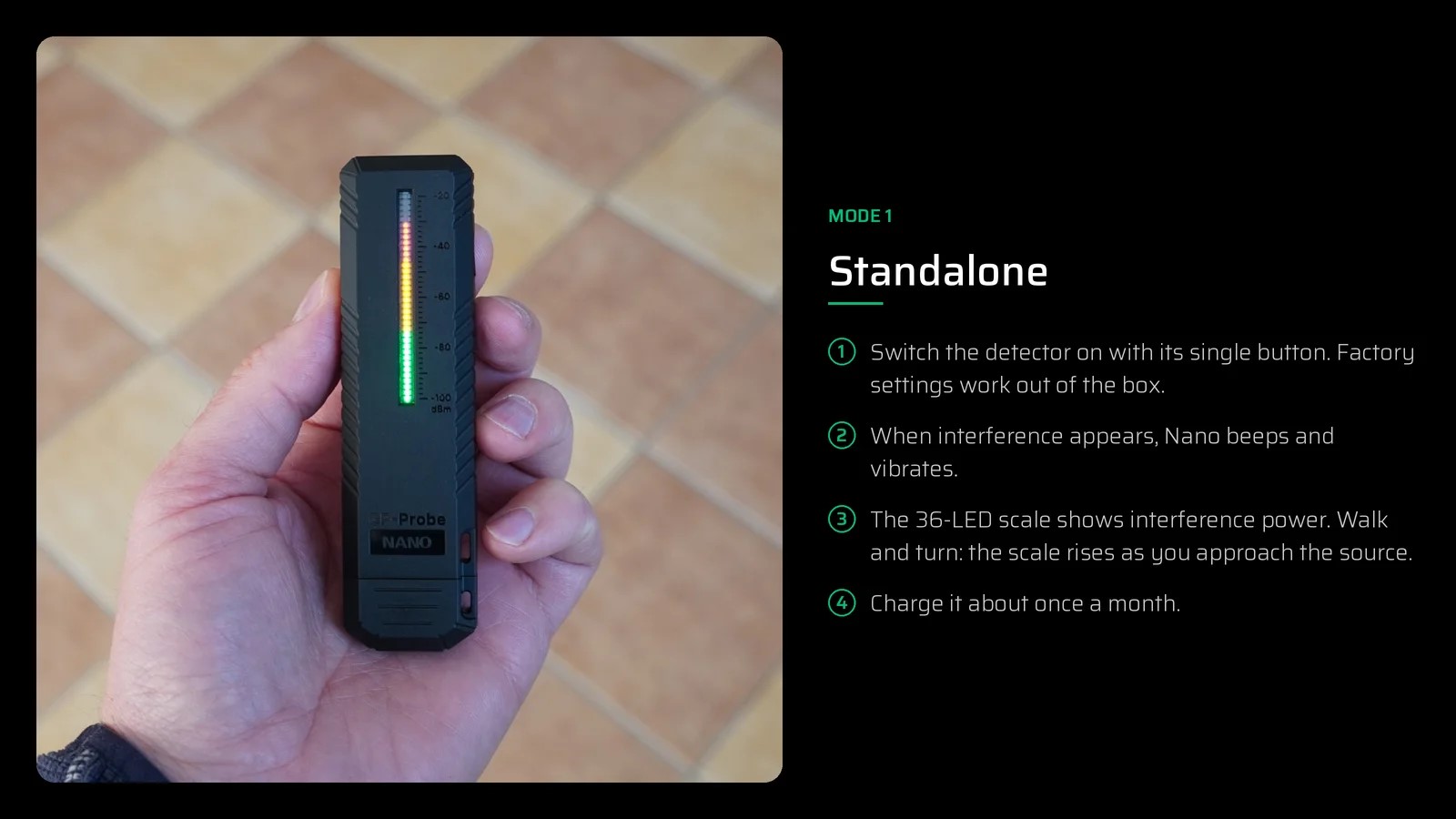
Out of the box, Nano is ready to use with its factory settings. In Detector mode the battery lasts up to a month, so the only routine task is to charge it about once a month.
When interference appears in the GPS L1 band, Nano beeps and vibrates. A scale of 36 LEDs shows how strong the interference is. Walk and turn with the detector: the scale rises as you get closer to the source.
The human body attenuates the L1 signal by about 10–15 dB, so the reading drops when the user stands between the detector and the jammer. This gives an approximate direction to the source without a directional antenna.
With a smartphone: Detection and Signal Analysis
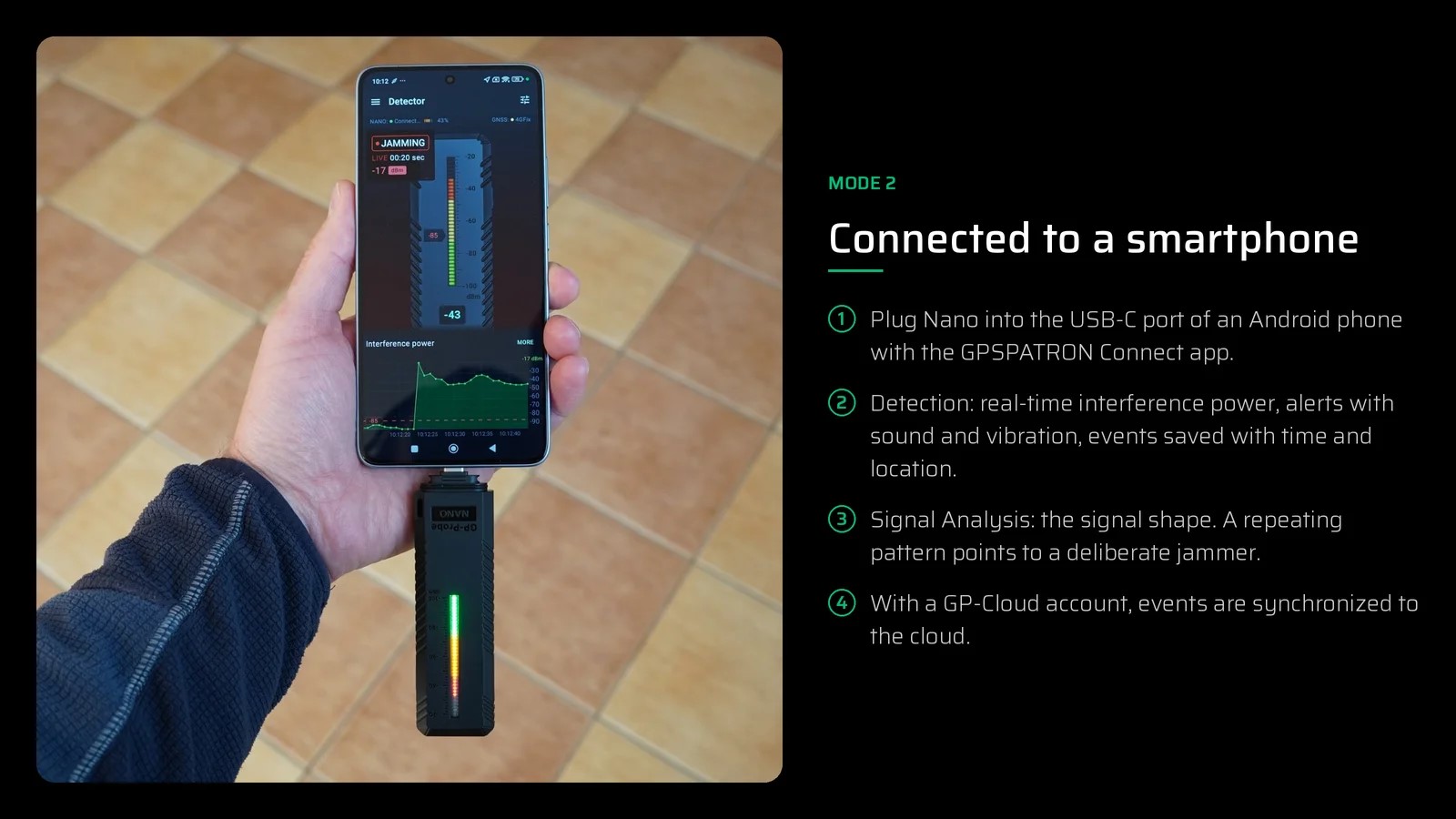
Plug Nano into the USB-C port of an Android phone running GPSPATRON Connect. The app offers two modes.
Detection mode shows interference power in real time. Every detected event is saved in a local database on the phone, with time and the phone’s location. When interference is detected, the app notifies the user with an alert on the screen, a sound and vibration. With a GP-Cloud account, these events can be synchronized to the cloud; this is the function added in the beta.
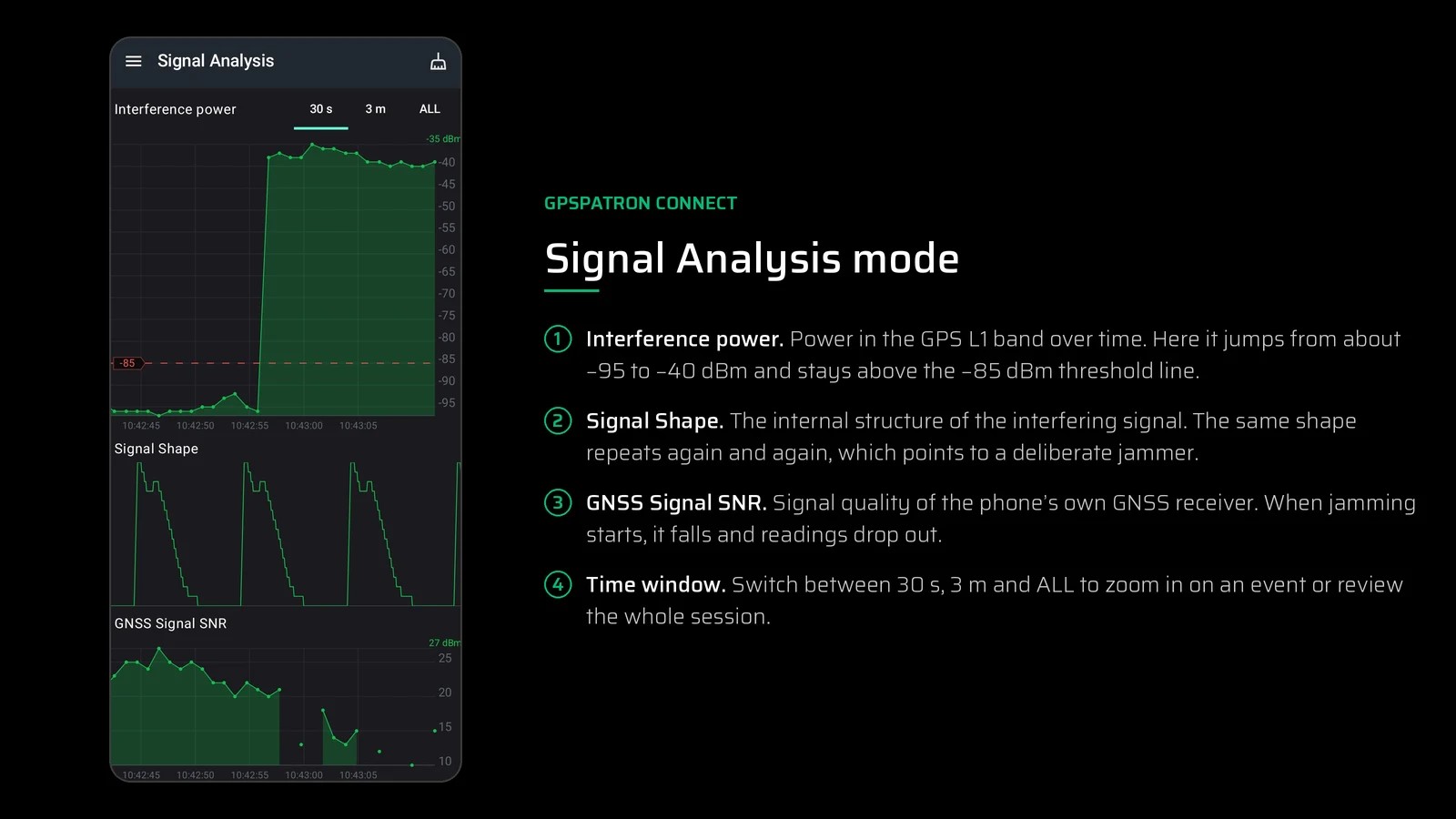
Signal Analysis is the engineering mode. Besides power plots, it shows the signal shape: the internal structure of the interfering signal’s modulation. This helps identify what kind of source you are dealing with.
In Signal Analysis, the signal of a typical jammer looks like a repeating pattern: the same shape appears again and again. Such a regular structure points to deliberate jamming rather than accidental emission from faulty electronics.
External sensor on a USB extension cable: interference monitoring from a vehicle
The metal body of a car attenuates signals coming from outside, including interference from a jammer in another vehicle or at the roadside. The car also has its own sources of radio noise, such as chargers, dashcams and infotainment systems.
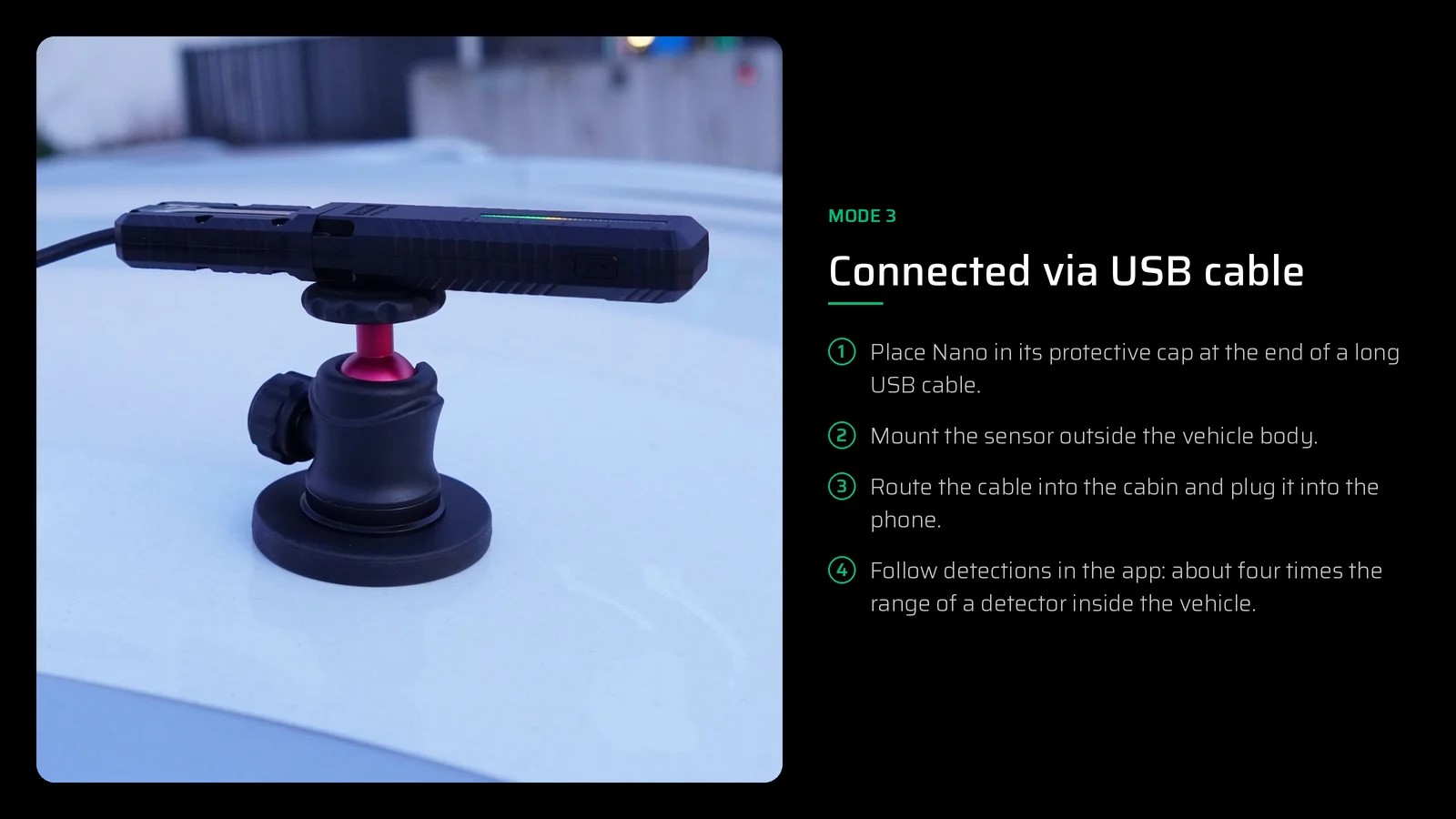
For vehicles, Nano goes into a protective cap at the end of a long USB cable. The sensor sits outside the car body, the cable runs into the cabin, and all detections appear on the phone. This makes Nano more sensitive to real interference and less sensitive to the car’s own electronics. A typical use case is described in our article on convoy protection.
In our tests, the external sensor increased detection range about four times compared with a detector inside the vehicle.
Integration with GP-Cloud
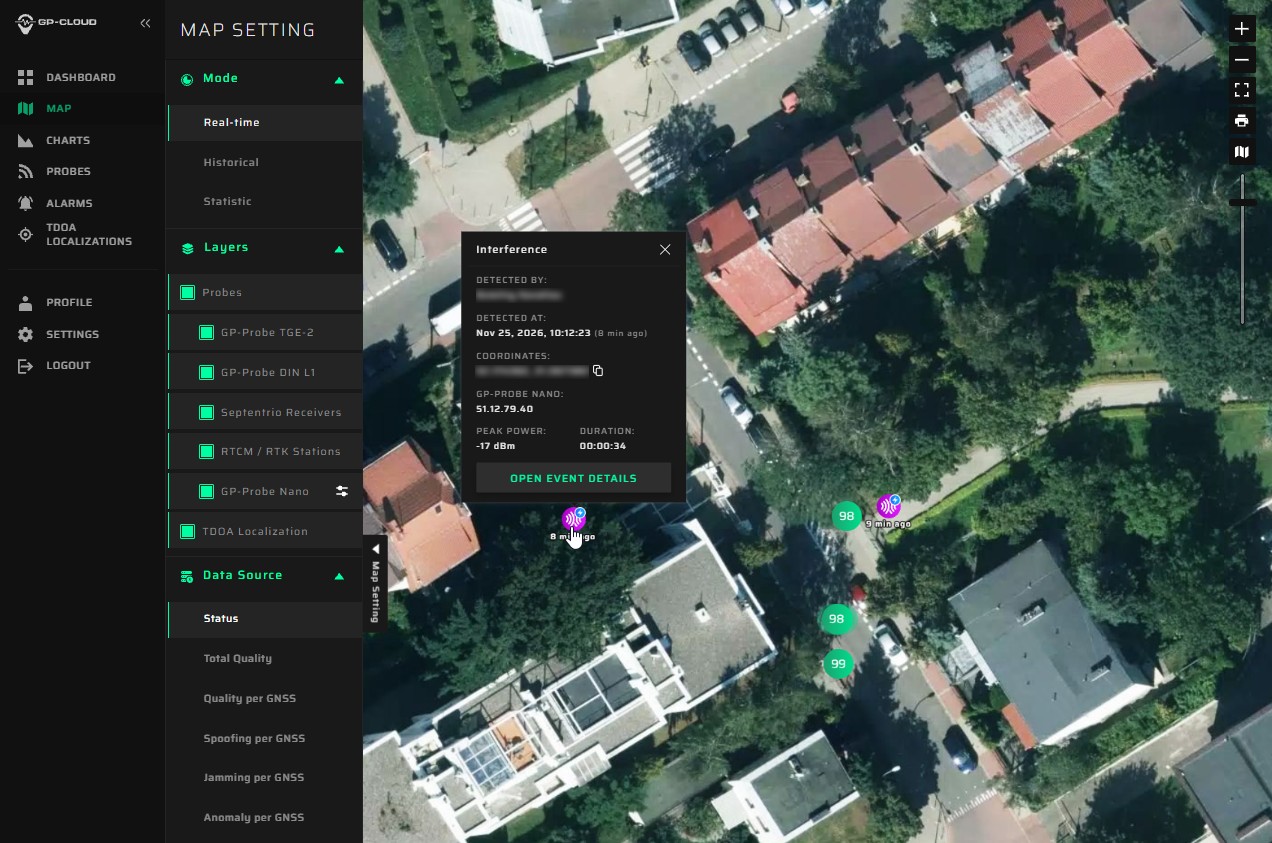
Without the cloud, events are stored only on the detector or in the phone’s local database. The beta connects GPSPATRON Connect to GP-Cloud, our GNSS interference monitoring platform. An event detected by one user becomes available to the other users of the same organization in GP-Cloud.
What do you need to join?
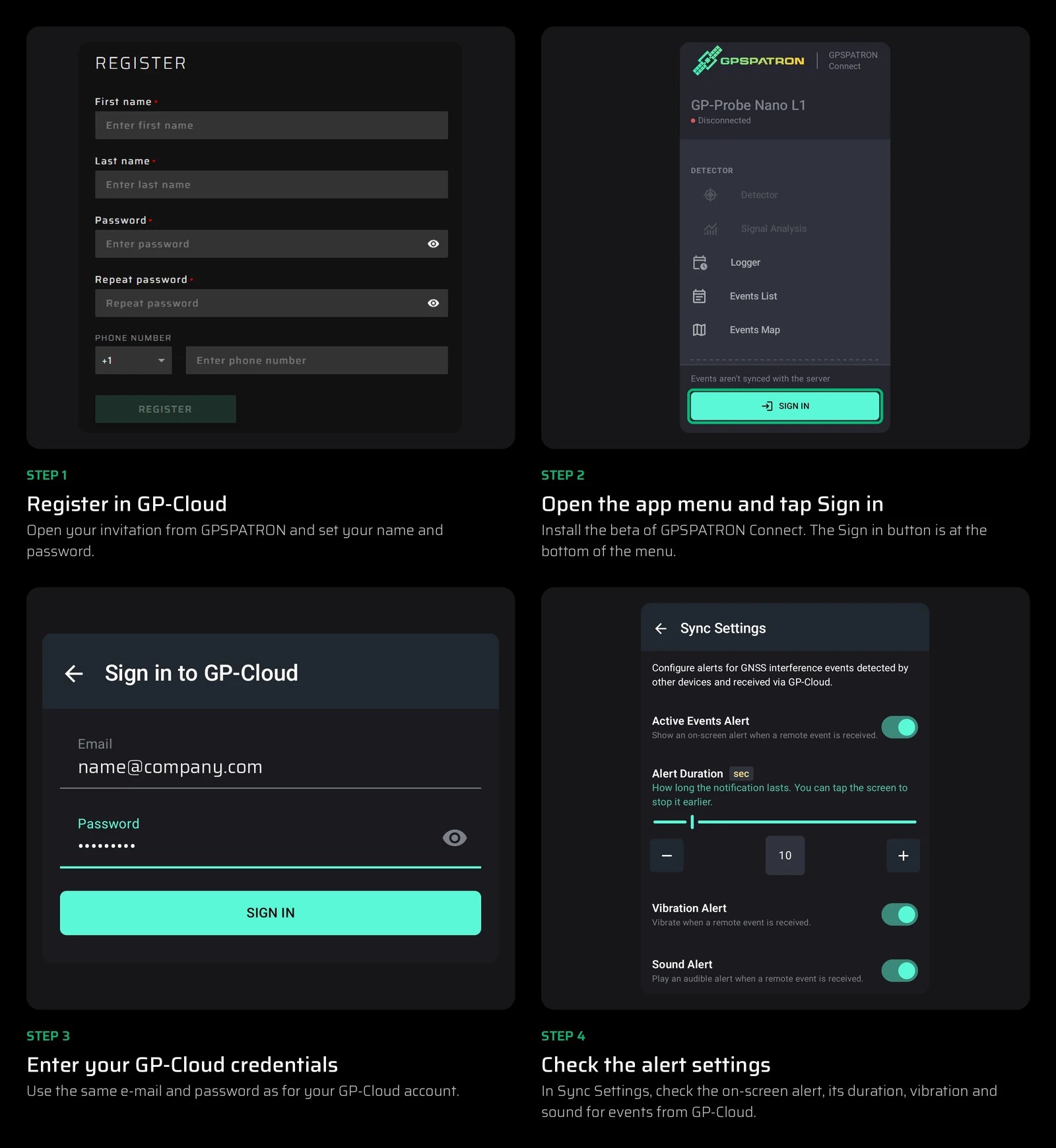
- A GP-Cloud account. GP-Cloud is currently available by invitation only. We create an account for your organization and add your users, or one main user who can then add colleagues.
- The beta version of GPSPATRON Connect. It is available only to selected participants who apply through the form.
When you register, you set your own password. You then use the same e-mail and password to log in to the app and connect it to GP-Cloud.
How an event reaches GP-Cloud
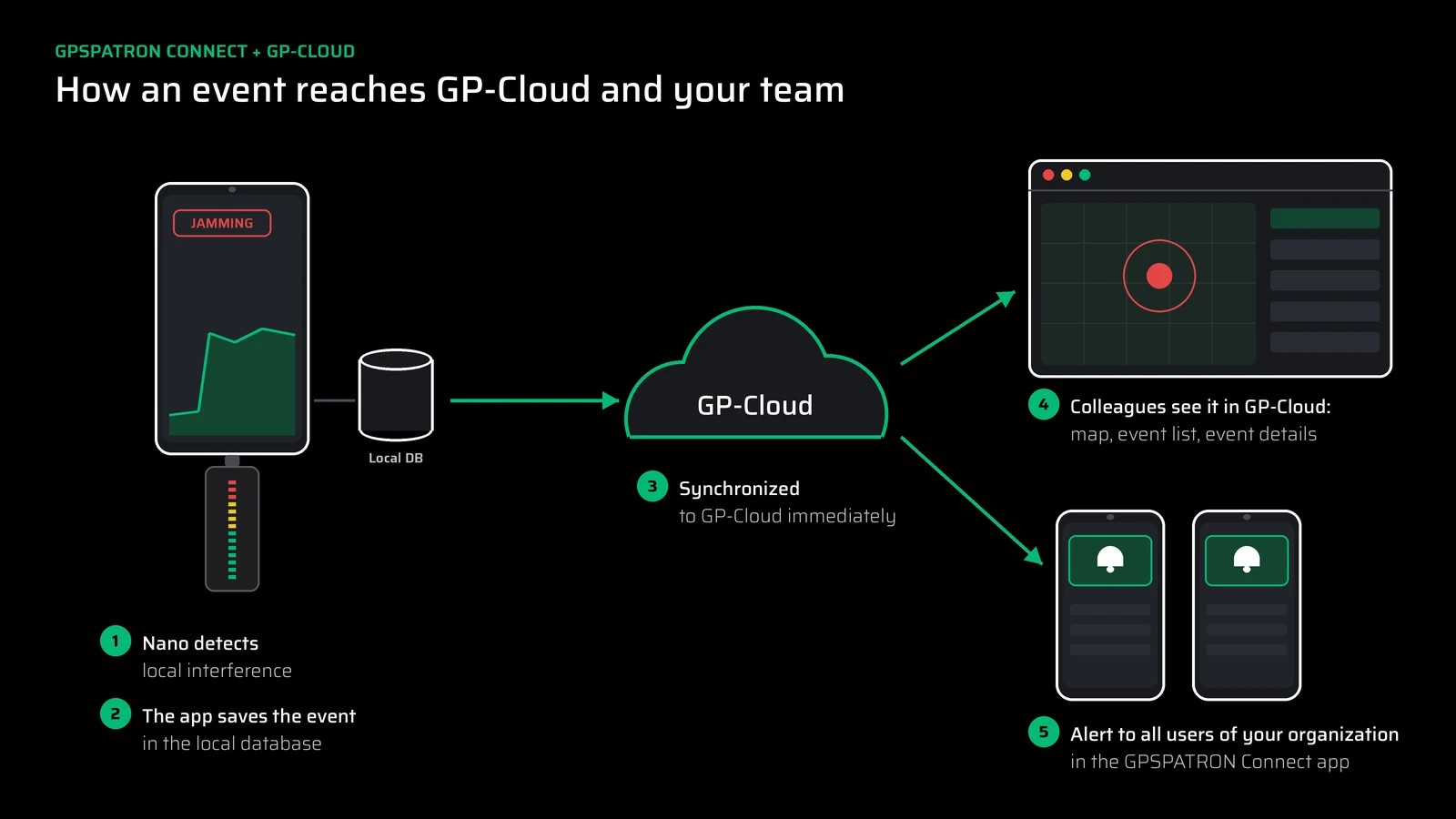
In the main operating scenario, Nano stays connected to the phone. An event is processed in five steps:
- Nano detects local interference.
- The app records the event in the phone’s local database.
- The app immediately synchronizes the event to GP-Cloud.
- Colleagues log in to GP-Cloud and see the event on the map, in the event list and in the event details: who detected it, when and where.
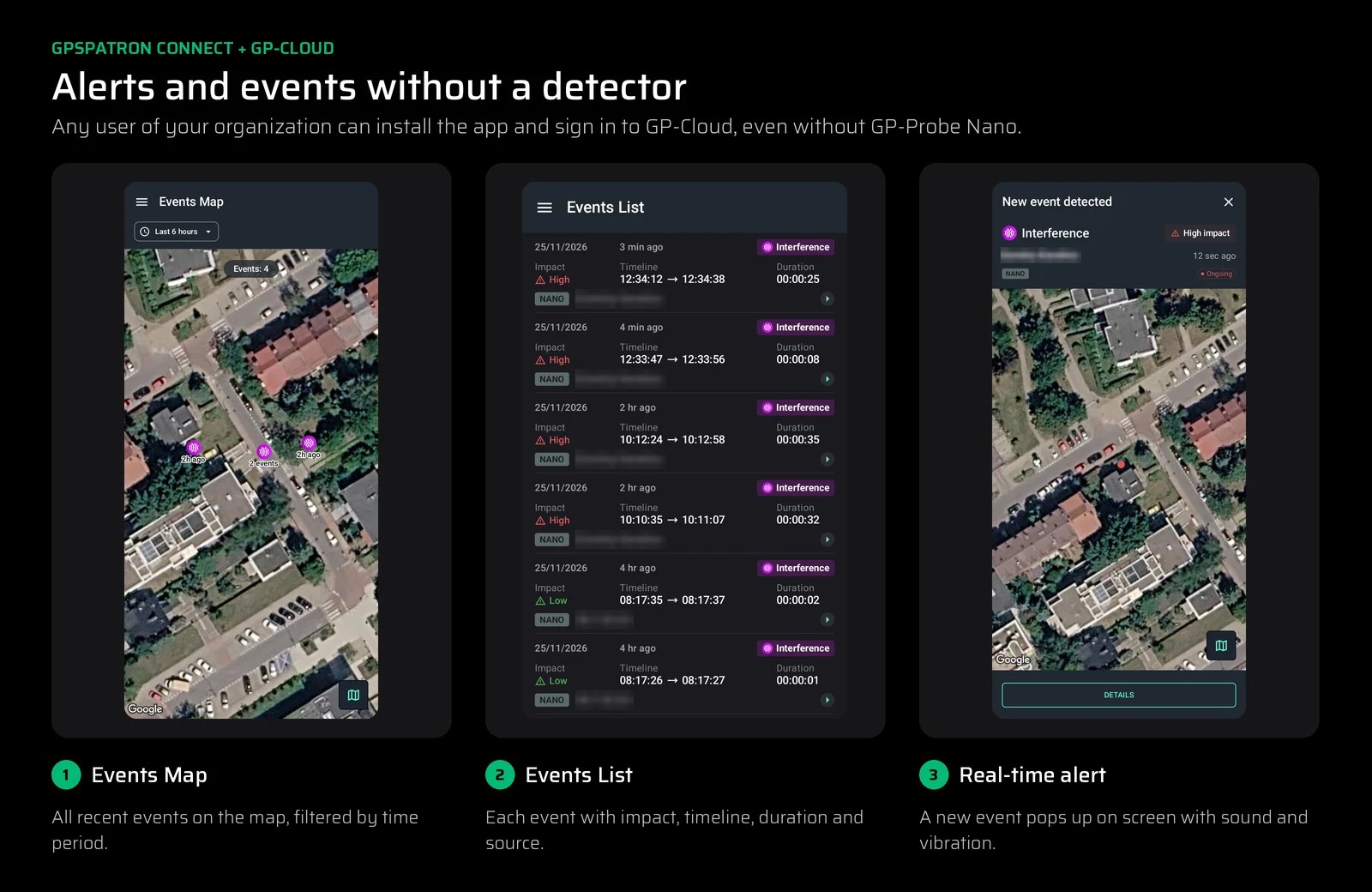
- GP-Cloud sends an alert to all users of your organization. The alert appears in the GPSPATRON Connect app.
Receiving alerts without a detector
GPSPATRON Connect works with or without Nano attached. A user without a detector can install the app, log in and receive alerts about interference detected by other users.
You can set up alerts in the app’s Settings: how long an alert lasts, and whether it uses sound and vibration.
How to join the closed beta
To apply, fill in the beta application form.
We review every application and contact the selected participants. For each of them we create an organization account in GP-Cloud and send access to the beta version of GPSPATRON Connect.